• Instant Business Insight

Discover place data at scale – powered by Google Maps APIs

Placefetch helps you search, retrieve, and export place data with own Google Maps API keys — no scraping, no bypassing, no HTML parsing.

No Credit Card Required

Free Forever Tier Available

Placefetch – Google Maps Research Tool

Examine markets, research locations, and work with place data efficiently using Placefetch — a no-code maps tool powered by official Google Places APIs.

Use the simple and intuitive interface to run large-scale place research quickly and export the results of your searches in formats that fit your workflow.

Incredible Speed

Experience the raw power and control of Placefetch – capable of delivering hundreds of high-quality, unique results within seconds. Whether you’re researching a city, rural areas, or large geographic regions, Placefetch efficiently divides searches into manageable segments to retrieve results quickly and reliably.
Why Placefetch is Different

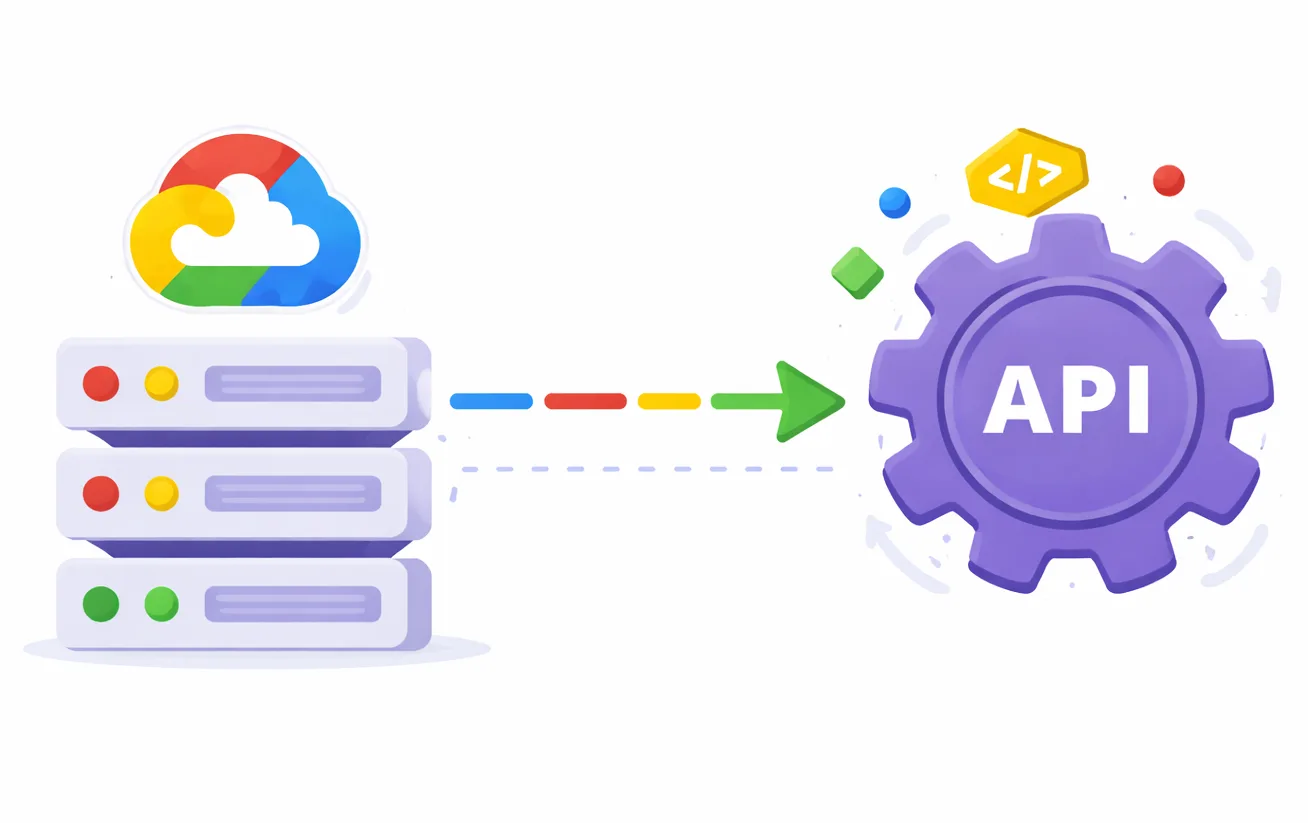
Placefetch isn’t a workaround or browser-based scraper. It’s a no-code tool built on official Google Maps and Places APIs, designed to help you search, retrieve, and work with place data efficiently.

Placefetch handles the technical complexity behind the scenes, allowing you to focus on running place searches, analysing results, and exporting data for your own workflows — all using your own API keys and Google’s supported interfaces.

Search with Google’s API for free

Google provides access to its Maps and Places APIs with usage-based pricing, with a free monthly allowance depending on the services and request volume. A $300 introductory trial credit is also offered.

Placefetch helps you make effective use of these APIs by simplifying configuration, searches, and data retrieval through a no-code interface — all while using your own Google API key and billing account.
How it works

Placefetch is a streamlined tool to help access information that exists on Google’s Map Platform covering businesses and places around the world. To work, it relies upon your Google issued API key to request and receive this information – authenticating your search every time. Getting this key is free and easy (2-3 minutes) and once in place will unlock the full functionality of Placefetch for running searches and managing results.
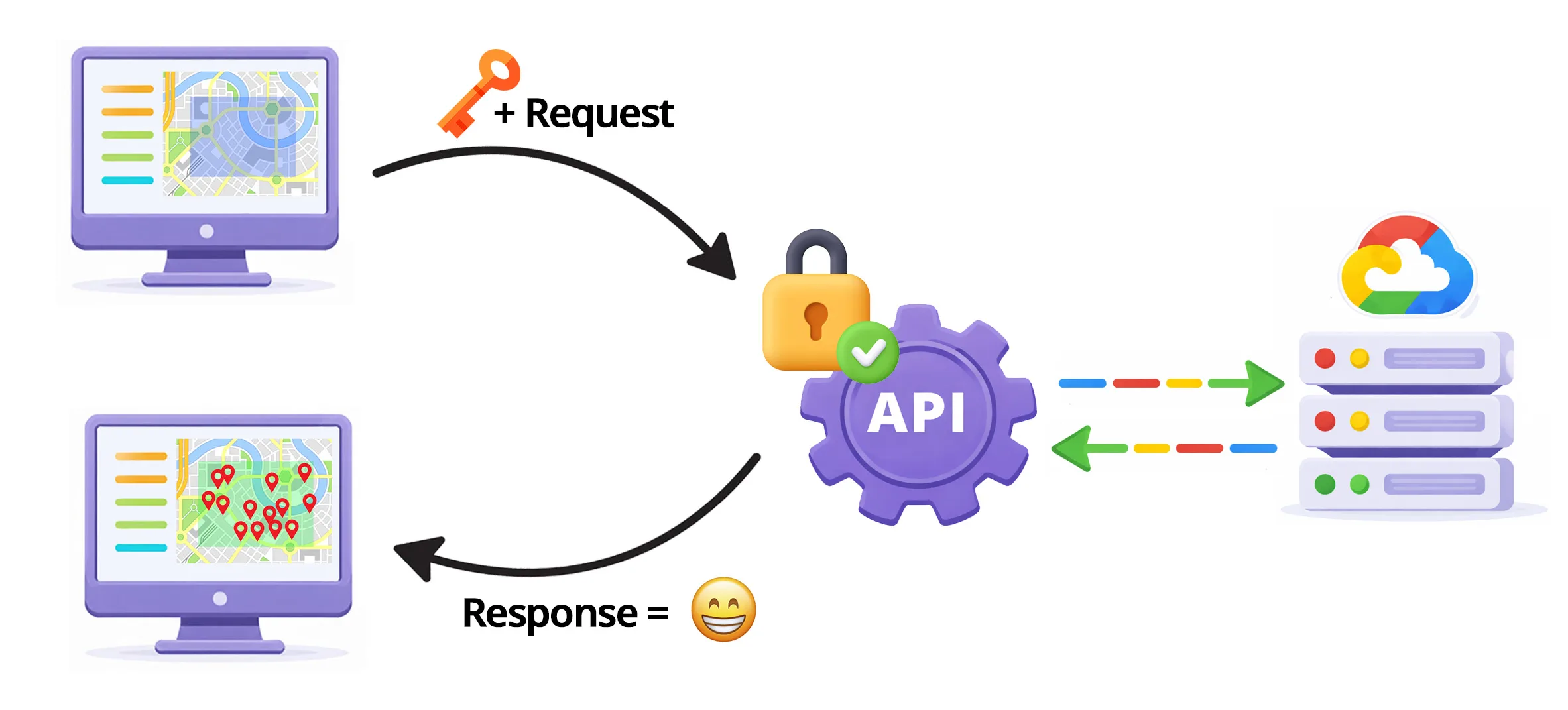
For each search, you tell the system what information you want receive about the businesses you are searching for from a list of fields that Google’s API supports. Sometimes you might only want information about location and name – whereas for other searches you might also want the phone number and opening hours. You can define the nature of these responses whilst you are setting up your search in just a few clicks.

Placefetch organises searches by dividing an area into manageable segments. Smaller areas may require only a single segment, while larger or more complex regions can be broken into multiple segments to ensure results are retrieved efficiently.

By structuring searches this way, Placefetch avoids unnecessary duplication and processes each segment in turn until the full search area has been covered.

Adaptive Depth Searching

Placefetch is designed to handle the result limits imposed by the Google Places API by intelligently structuring searches across different area sizes. Because individual API responses return a limited number of results, Placefetch adapts search boundaries as needed to retrieve consistent, relevant data across both small and large regions.

This approach allows Placefetch to work efficiently across complex geographic areas while minimising duplicate results and maintaining reliable coverage.
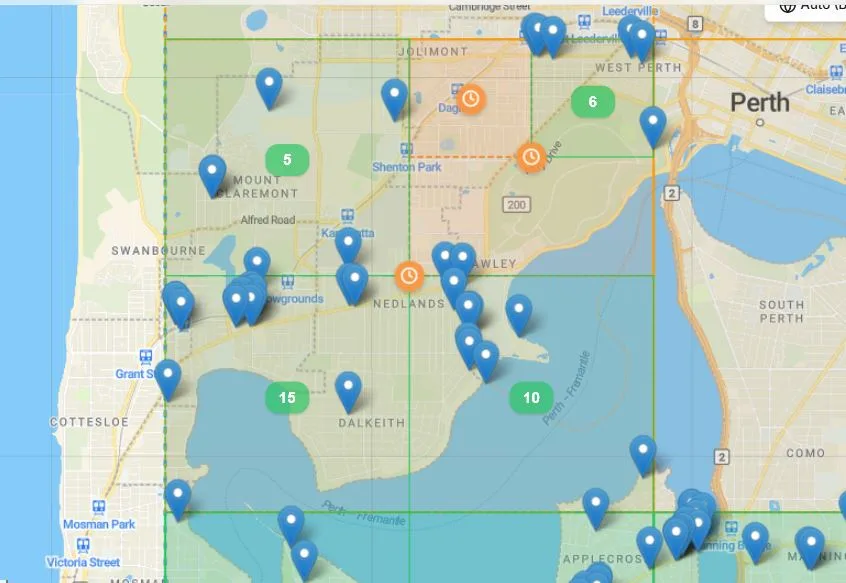
Placefetch Key Features

Powerful features allow you to efficiently define, extract and export business information with minimal effort. Get up to speed quickly by exploring our step-by-step guides, which walk through Placefetch’s core features and search workflows.
World Wide Web Illustration

Search Your Way

Choose from a range of ways to search for places – boxes, polygons, views, lists, uploaded CSVs.

Shared Hosting Illustration

Lightning Fast

Optimised for high-performance place searches using supported interfaces.

WordPress Hosting Illustration

Safe searching

Safe, reliable searching powered by Google APIs. No browser automation or HTML scraping.

VPS Hosting Illustration

Large Task Handling

Organise searches using lists or CSVs and let Placefetch streamline the workflow.

Adaptive Search

Densely populated areas are broken into smaller segments to ensure consistent retrieval.

Complete control

Monitor API usage in real time with clear counters and configurable warning thresholds.

Export With Ease

Download data in common formats including CSV, KML, and JSON to fit your workflow.

Built-In Optimisation

Intelligently structure searches to improve performance and reduce unnecessary requests.

Intuitive, single page Interface

Start searching confidently within minutes — Placefetch is designed to help users of all experience levels get the most from the platform. Tools are organised intuitively, with key features easy to find and exactly where you’d expect them to be. Below is a brief overview of the layout to help you get familiar.
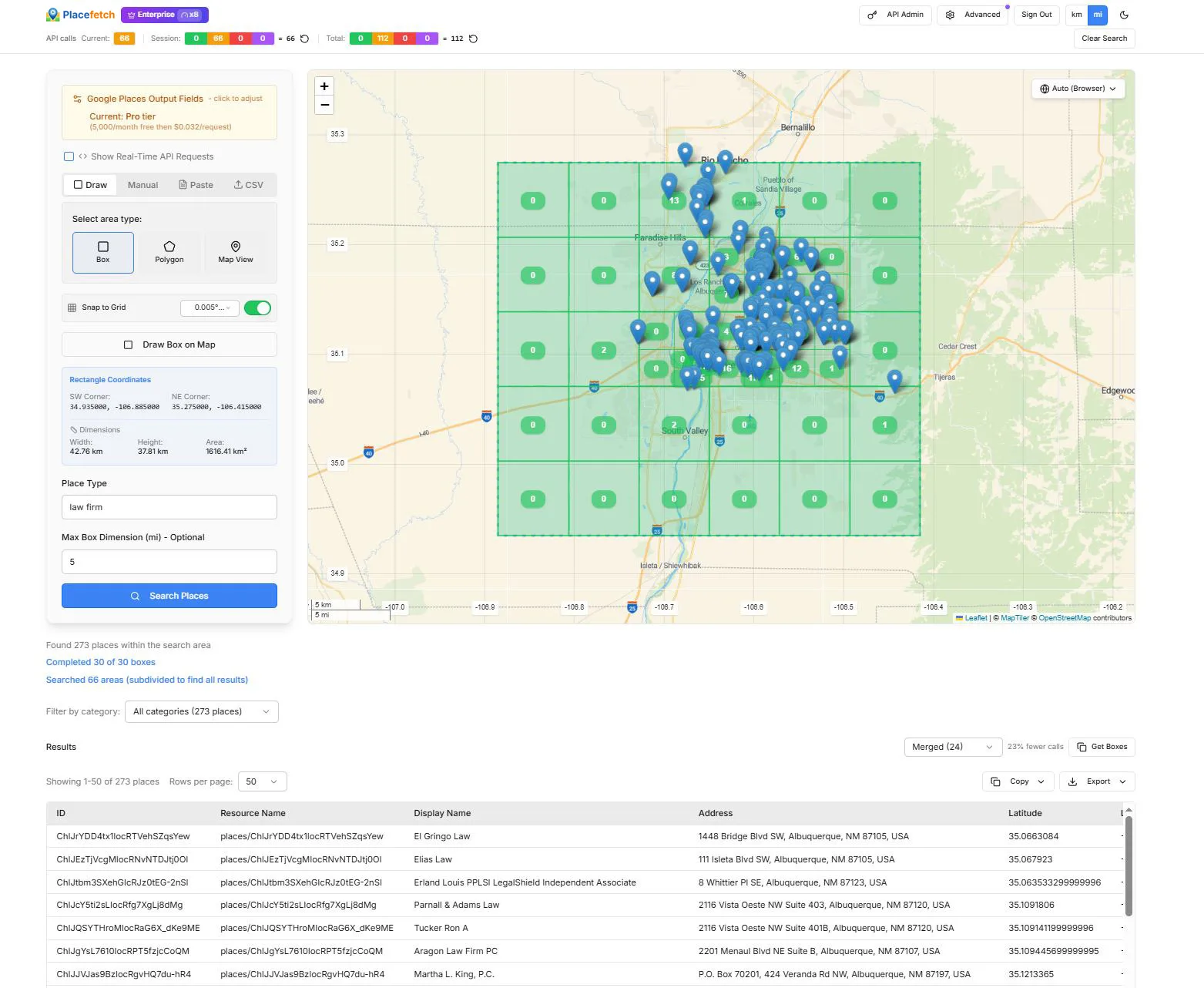
“Law firm” in Albuquerque – 273 results in around 10 seconds

Frequently Asked Questions

Yes – there is no other option. Placefetch is a system that is designed to let you use your API key to the fullest extent. It will not work unless a key is provided to be able to authenticate each search request.

It’s free to get one and takes just a few minutes – please read our Quick-Guide HERE.

Yes. Placefetch includes a free plan with a monthly allowance of managed searches, allowing you to explore the platform using your own Google API key.

Google API usage is subject to Google’s pricing and applicable free usage thresholds. Placefetch does not include or control Google API billing, and any usage is billed directly by Google under your account.

This free plan is ideal for getting started and evaluating Placefetch’s features and workflows.

Your Google API Output settings do not have “Location” selected, so the system does not have the coordinates to plot precisely on the map. “Location” is within the Google Pro Tier so if you are searching using the Essentials Tier you will not see these pins. Note we are talking about Google’s Tiers here and not Placefetch Tiers. Even the Free Placefetch version can plot locations if it receives them as part of searches.

Google Maps Platform APIs use a usage-based pricing model. Pricing and free usage thresholds vary depending on the specific API and the type of place information requested.

Some request types may include monthly free usage allowances, after which usage is billed per request according to Google’s current pricing. Charges, quotas, and eligibility for free usage are determined entirely by Google and may change over time.

Placefetch does not include or control Google API billing. All Google API usage is billed directly by Google under your own Google Cloud account.

For the most up-to-date and detailed pricing information, refer to Google’s official documentation HERE.

Placefetch also provides guidance on selecting place fields and structuring searches to help you understand how different request types affect API usage.

Placefetch is designed to help you stay informed about API usage while you explore the platform.

Your Google API usage is billed directly by Google under your own Google Cloud account and is subject to Google’s pricing, billing settings, and usage controls. Placefetch does not include or control Google API billing.

Within Placefetch, you can monitor API usage in real time and configure usage warnings to help you stay aware of how many requests are being made. You can also use Google Cloud’s own billing and budget controls to set limits and receive alerts if usage approaches your chosen thresholds.

For new users, this makes it easy to explore Placefetch gradually and understand how searches translate into API usage before running larger or ongoing searches.

Paid Placefetch plans provide expanded access to features and higher usage capacity compared to the free plan, making them better suited to ongoing or higher-volume research needs.

Higher-tier plans offer faster processing, additional search and export features, and more flexibility when working with larger or more complex searches.

For teams or individuals who regularly work with place and business information, a paid Placefetch subscription helps streamline workflows and reduce the time spent managing searches and results.

No – that won’t work and Placefetch is designed to be used in a single active session at a time for the best experience. Because the responses are linked to your API key, you will find that results won’t consistently be returned back to the correct browser window causing overlapping searches and other unexpected behaviour.

Google manages free credits, eligibility, and enforcement directly under its own terms and policies. Attempting to bypass Google’s usage rules or account restrictions may result in account suspension or termination.

Placefetch highly recommends using Google services in accordance with Google’s terms and configuring usage and billing controls within your Google Cloud account to manage costs effectively.

You can view your Google API usage and billing details directly in the Google Cloud Console.

  1. Visit the Google Cloud Billing page at:
    https://console.cloud.google.com/billing

  2. From there, you can see an overview of your current usage and charges.

  3. For more detailed insights into API request types, volumes, and costs, open the Reports section and adjust the grouping options (for example, grouping by SKU).

  4. During any introductory credit or trial period, you may also want to review the credits or savings settings to ensure the reports reflect how usage is being applied.

Google’s billing reports provide the most accurate and up-to-date view of your API usage and costs.

Placefetch can be accessed on mobile devices, but the experience is challenging and limited compared to desktop use.

Some features — such as defining search areas using boxes or polygons — are designed for larger screens and are not optimised for touch input. For the best experience and full access to all features, we recommend using Placefetch on a laptop or desktop computer.

You can cancel at any time and your subscription will not renew again. To do this, go to https://app.placefetch.com/pricing and click the Account / Upgrade button where you can manage your subscription via Stripe.