
Creating Google API Output Presets
It’s common to run searches with different levels of detail depending on your objectives. Some searches may require only basic identifiers, while others may benefit from more comprehensive place information.
To make it easy to switch between different output configurations, Placefetch provides four Output Presets at the top of the Google Places Output Fields panel. These presets allow you to quickly toggle between predefined sets of output fields without manually selecting and deselecting options each time.
Editing Presets
To edit a preset, click the Edit button beneath the corresponding Quick Preset.
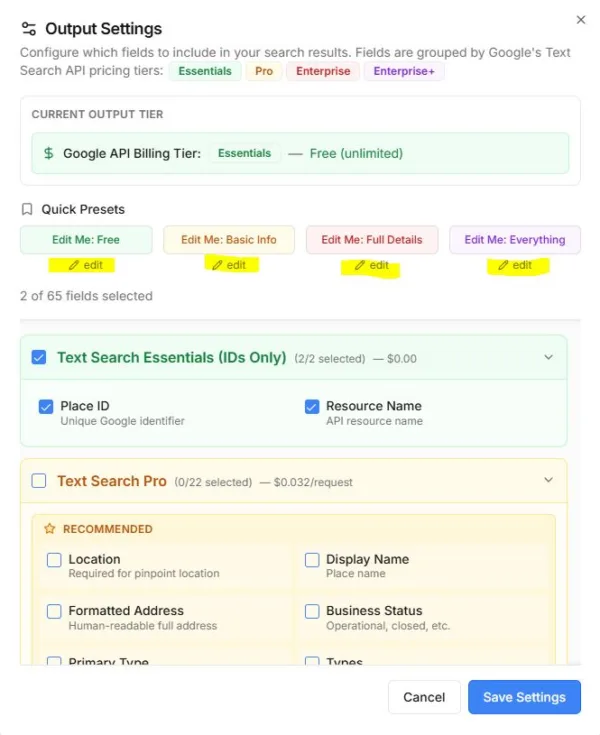
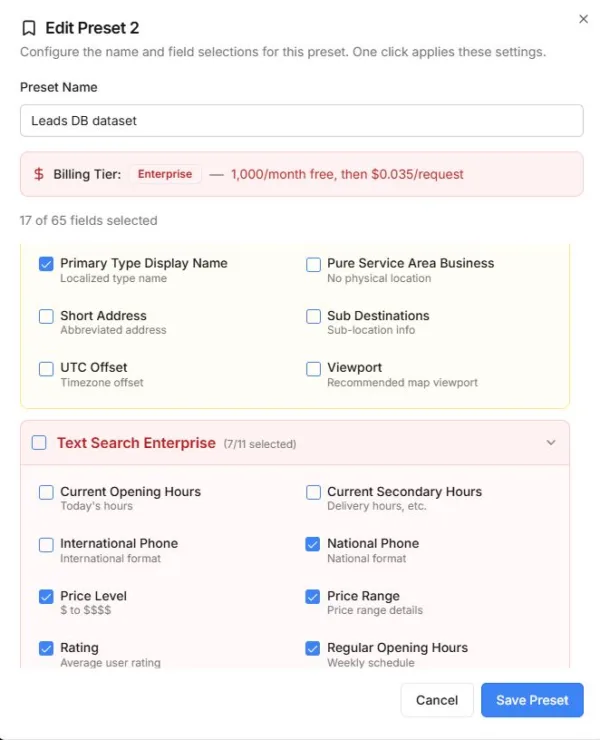
Within the preset editor, you can:
-
Rename the preset button
-
Select the output fields you want included
-
Save the configuration for future use
Once saved, the preset will be available whenever you open the Output settings panel. The preset button is visually colour-coded to indicate the type of API service associated with the selected fields.
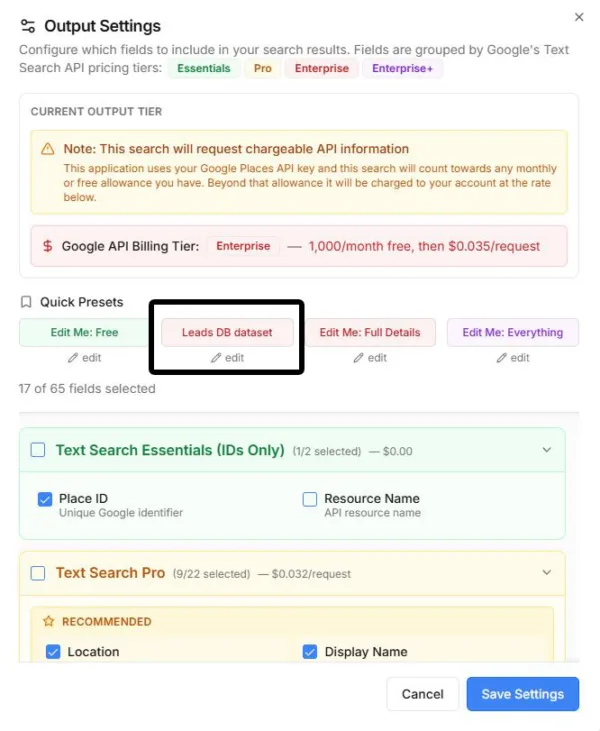
After selecting a preset, remember to click Save Settings to ensure your chosen output configuration is applied to subsequent searches.
