
API call counters and Limits
Placefetch provides built-in usage counters to help you monitor API activity while running searches.
At the top of the interface, you can view:
- The number and type of API requests made during your current session
- A cumulative total for your account
Session counters can be reset to help you track individual search runs separately.

Free plan users will also see an indicator showing the remaining Placefetch-managed usage available within their current allowance period.
Google API Quotas
When using Placefetch, your Google Maps Platform API key remains subject to Google’s usage quotas and rate limits.
Google enforces multiple types of limits to ensure fair and stable use of its services. These include:
- Per-minute request limits, which control how many API calls can be made within a short time window (typically 600 per minute)
- Daily usage limits, which cap the total number of requests allowed within a 24-hour period (typically 50,000)
These limits apply regardless of which level of data is requested.
Placefetch is designed to operate within the per-minute constraint automatically. If request activity approaches rate boundaries, the system will regulate the pace of requests by throttling or pausing to maintain stable operation.

You can monitor daily request activity using the built-in usage counters within Placefetch (mentioned above). We also recommend reviewing Google’s official quota documentation for the most current limits and policies associated with your account.
Because quotas may vary depending on account configuration and region, always refer to your Google Cloud Console for authoritative usage details.
Setting Limits within Placefetch
To help you manage usage, Placefetch includes configurable activity thresholds.
You can access these settings via API Admin > API Limits, where you can define the maximum level of activity you would like allowed before searches pause automatically.
These controls operate within Placefetch and are designed to support predictable usage behaviour. You may adjust or disable them depending on your workflow requirements.
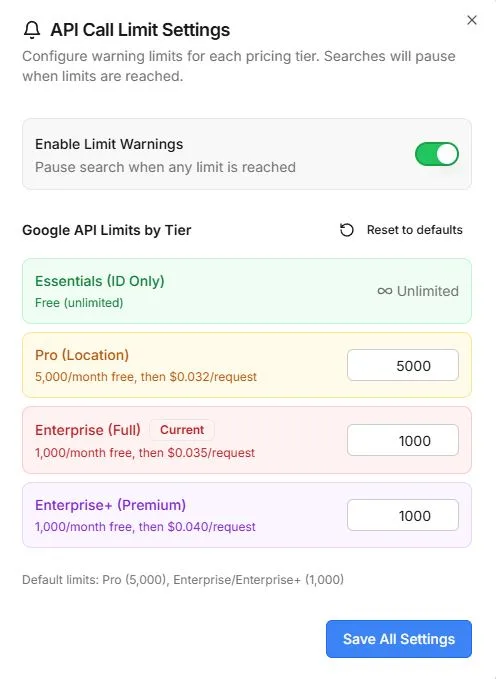
Setting Limits within Google
Because Google API usage is billed directly through your Google Cloud account, you can also configure budgets and alerts within the Google Cloud Console.
Google allows you to:
- Set monthly budget targets
- Receive email notifications as usage approaches defined thresholds
- Review detailed billing reports
We recommend reviewing Google’s official billing documentation and configuring budgets that match your operational needs.
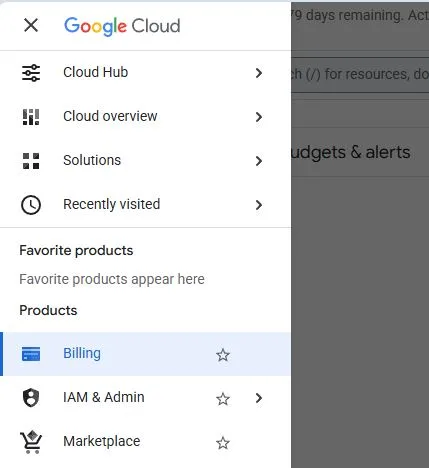
Go to https://console.cloud.google.com and from the menu select Billing.
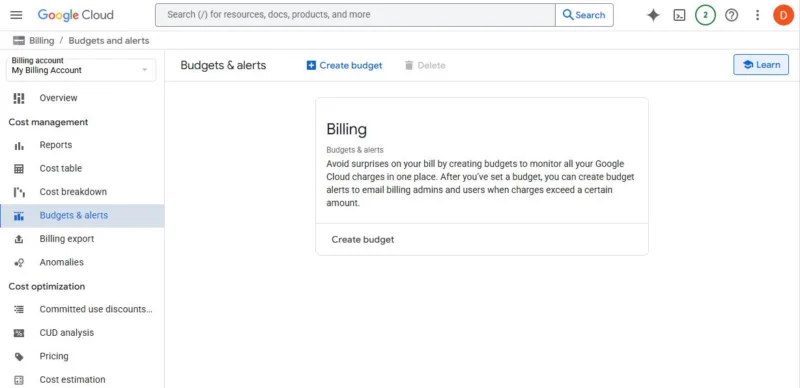
Select Budgets & alerts and then click “Create Budget”
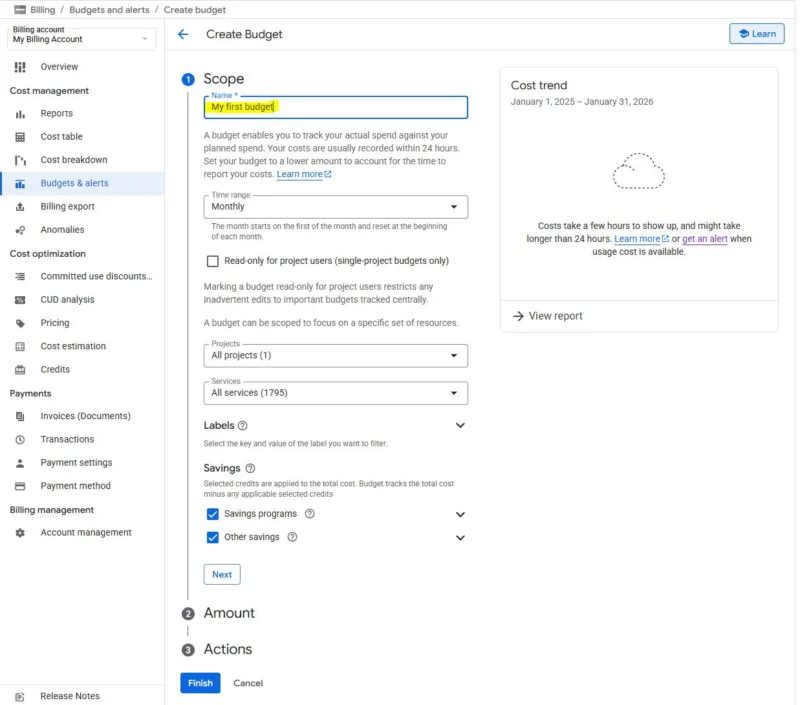
Give it a name, set it to monthly and include all projects and services. If you received free credits you can have them taken into account in calculations here or not.
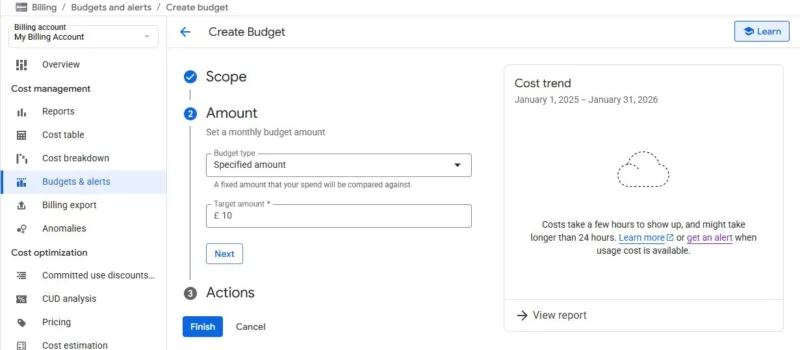
Set a value for the monthly amount.
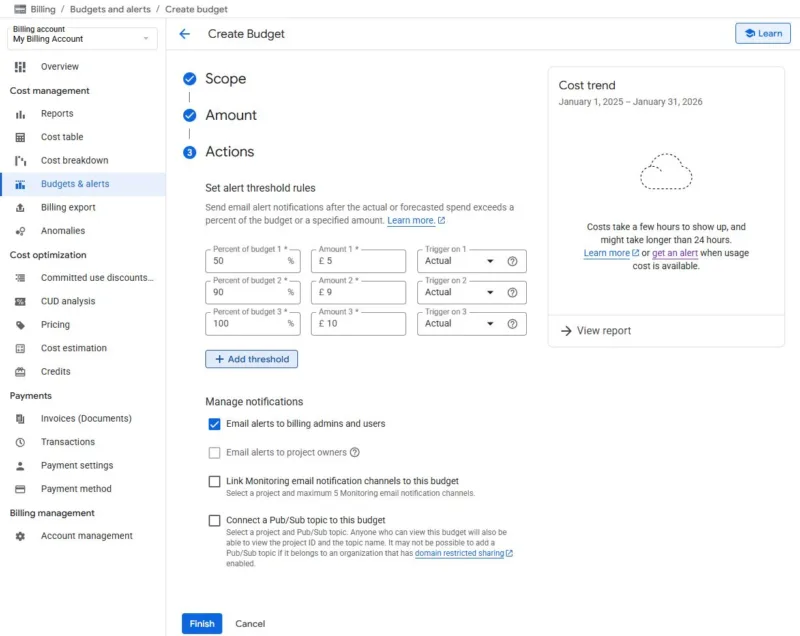
Set your alert thresholds, bearing in mind it takes up to 24 hours for data to log within the billing section. You can add or delete thresholds and change their percentages. Ensure email alerts is selected and you can click finish.
NOTE – These limits do not STOP consumption, they warn about the upcoming potential to breach your limits.
